
Documents and versions
Secure upload with content checks, version history, classification, department ownership and retention dates.

Open any signature request and see who prepared it, which workflow approved it, who still has to sign and every event the provider reported back.
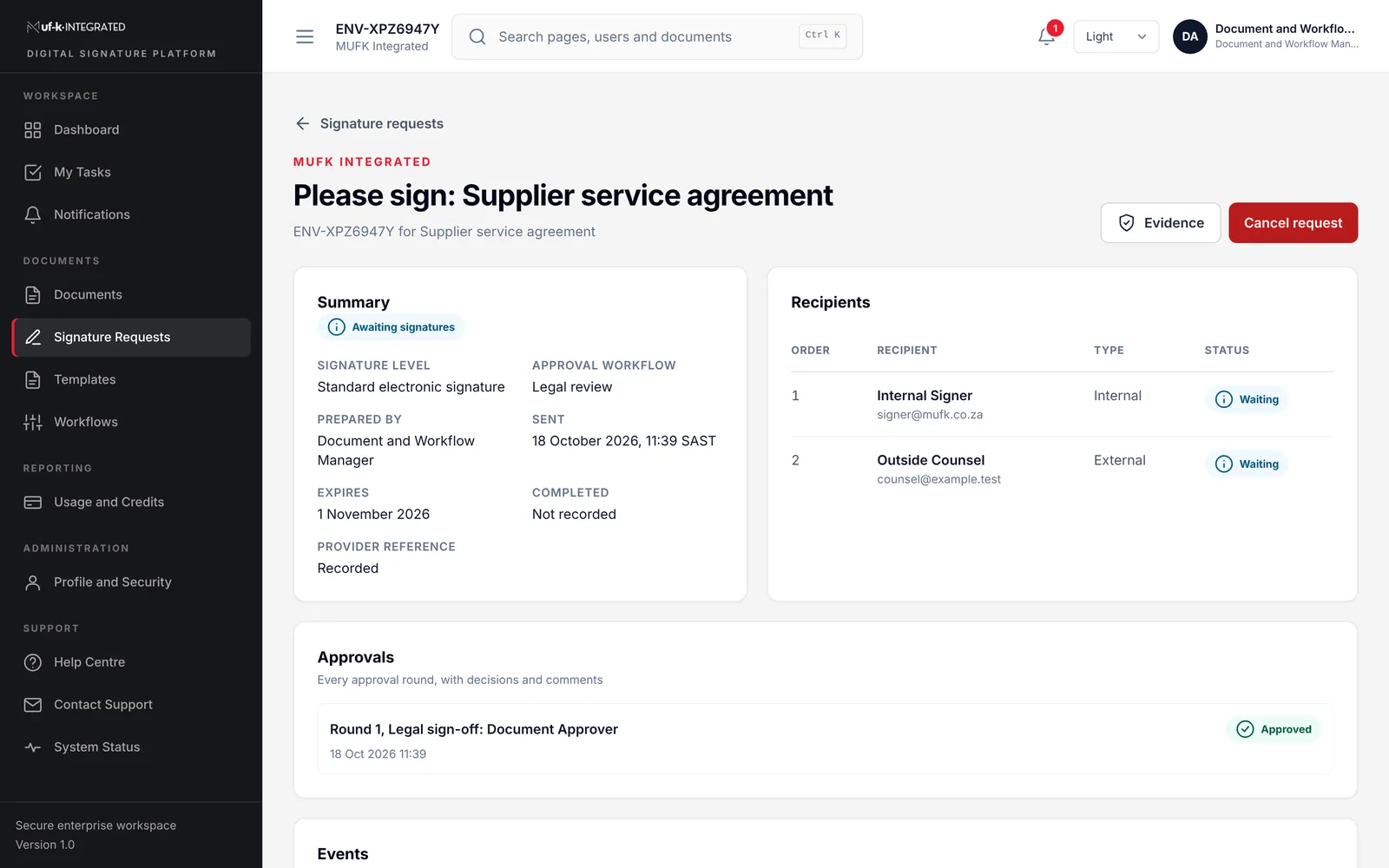
Everything an organisation needs to run governed signing, without stitching together separate tools.
Secure upload with content checks, version history, classification, department ownership and retention dates.
Approved starting points with a default signature level, message and approval workflow.
Staged approvals with named approvers, due dates and rounds. Returned requests keep their history.
Sequential signing for internal and external recipients, reminders, expiry, cancellation with a reason, and retries.
Assisted enrolment with identity checks, evidence capture, a checklist and an independent compliance review.
Standard electronic, AATL and AES profiles managed separately from roles, and checked before every request.
A task inbox and ranked recommendations for each role, so overdue and blocked work is seen first.
An append-only, hash-chained event trail with timestamps to the second, reviews and formula-safe exports.
Envelopes, credits, completion rates and turnaround from live records, for management and finance.
The Document and Workflow Manager uploads a document or starts from a template and chooses the signature level.
Approvers in each stage approve, return with comments or reject. Nothing is sent until approval is complete.
Recipients sign in order. Each signer's profile is checked against the level the document needs.
The signed file, provider references and the full event trail are kept together and archived where configured.
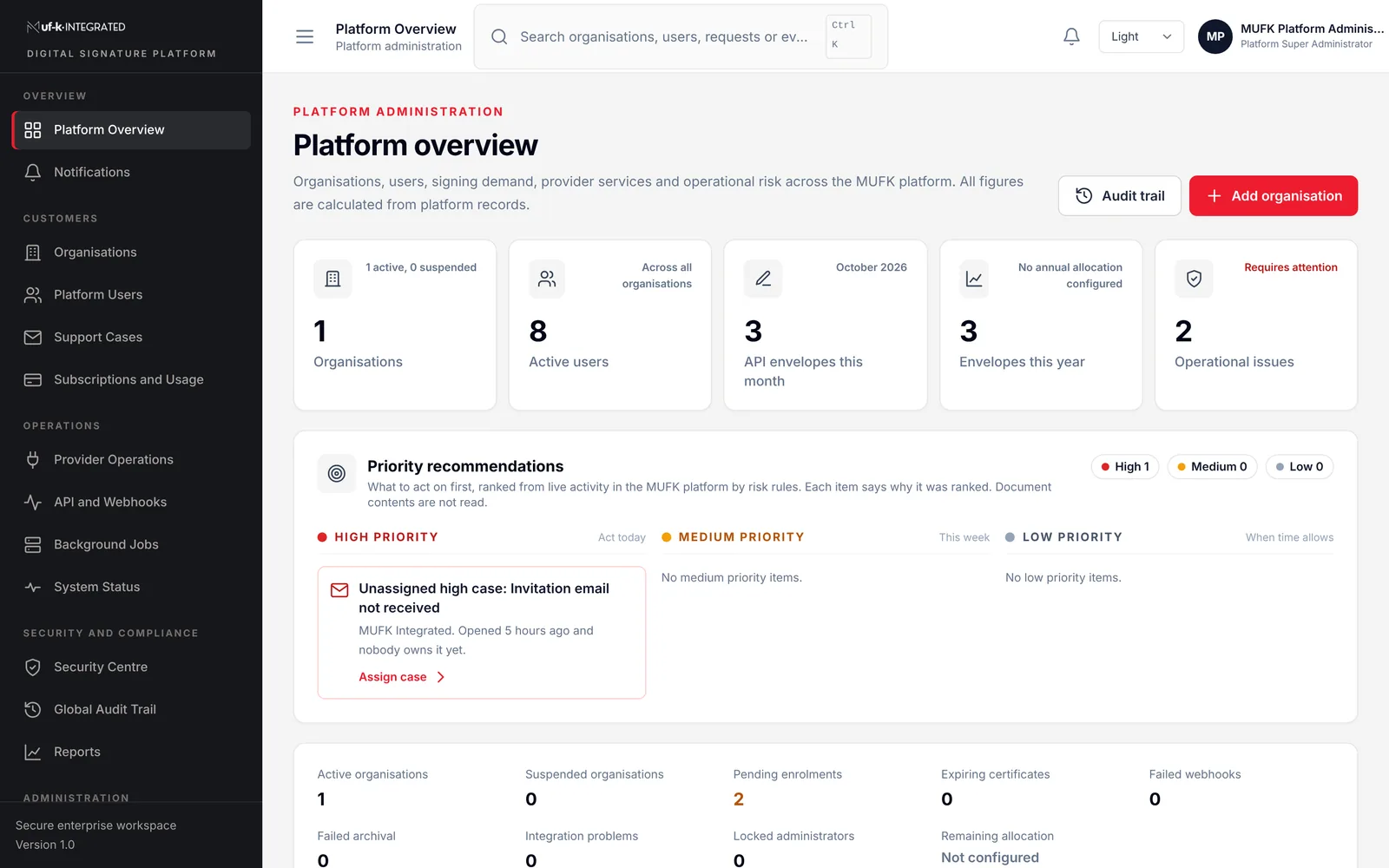
The MufK operations team watches provider health, background jobs, webhook deliveries and support cases across the platform, and acts on failures before they hold up your documents.
A record you can defend includes the people, the decisions, the document versions and the provider's own references around the signed file.
Tell us how documents move through your organisation today. We will show you how MufK would handle them, using your own document types.
Pretoria, South Africa
Office 0005, Jardown 1377 Johannes Ramokhoase StPretoria, 0002Telephone
(+27) 12 004 2004Business hours
Monday to Friday, 08:00 to 17:00 SAST, excluding public holidays.